
Brick won't scan
Please confirm that you see a “Ready to Scan” popup when you tap the center icon or "Tap or Hold to Brick" on the Brick app
Note that you must open the Brick app in order to Brick and Unbrick your device
Update to the latest version in the App Store
Restart your device
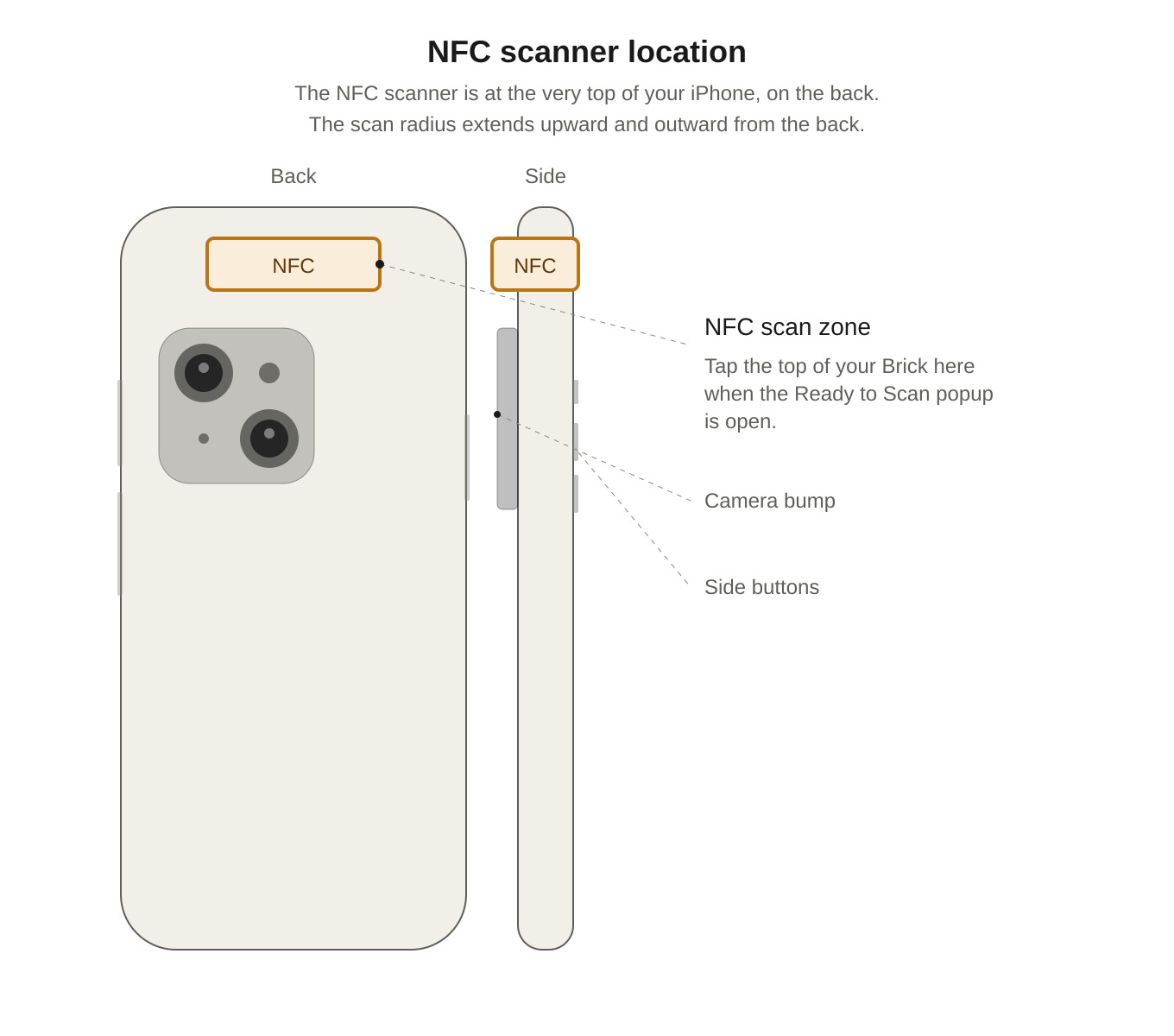
Try tapping the part of your phone that has the NFC reader when scanning - this should be near the top-center of the back of your iPhone
If your Brick is still isn't scanning after completing the above, we'll need to do a quick check:
Download NFC Tools on the iPhone App Store
Once installed, tap ‘Read’ and try scanning your Brick. You may have to scan the Brick up to 3 times for the below information to appear
Once you’ve done so, please email hello@getbrick.com with the following information.
Does NFC Tools successfully scan the Brick?
Does it say Yes or No next to Writable?
(iPhone) Do you see a section labeled ‘Record 1 - Text’?
Still need help?: Email us at hello@getbrick.com and we'd be happy to help